A field guide for going international
Plan your next market entry before you book the flight.
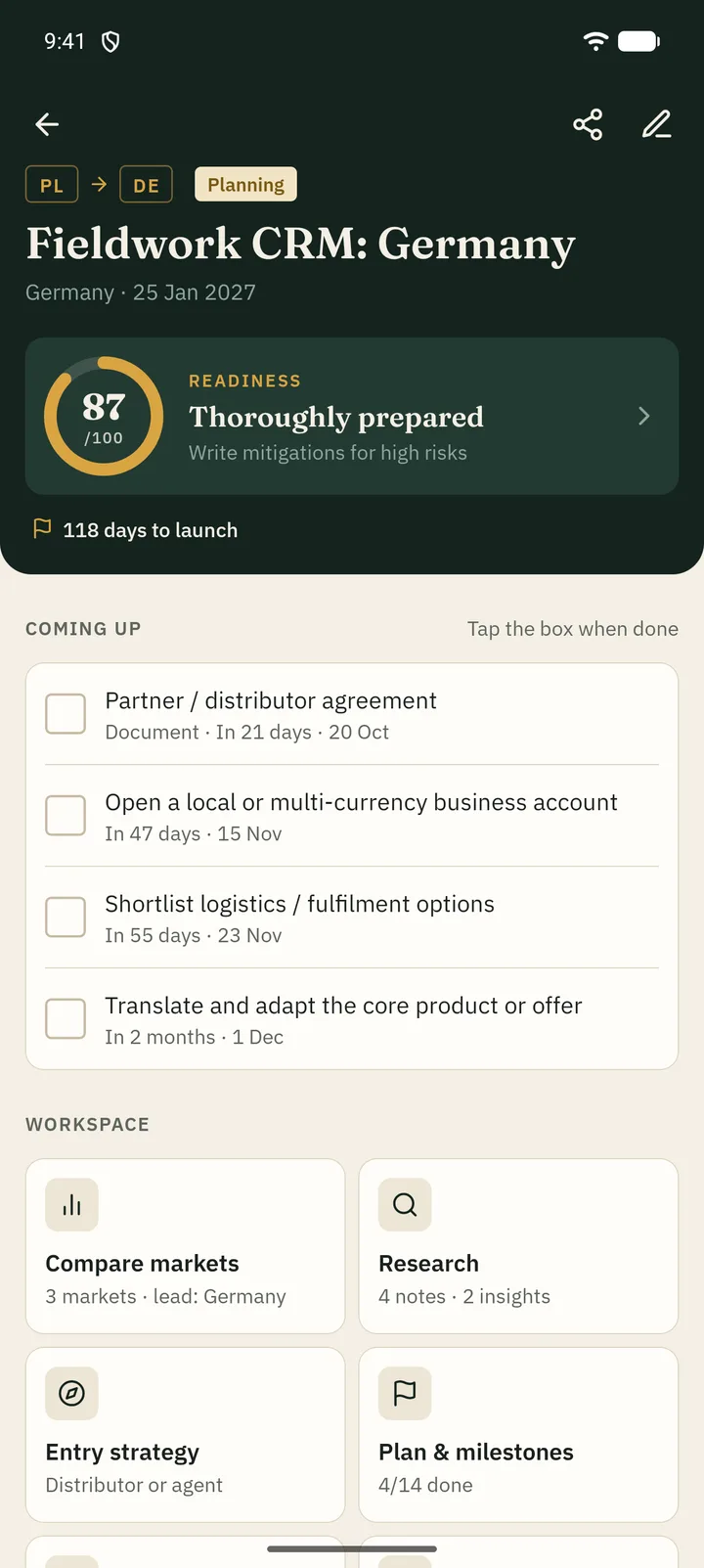
Crown Expansion Planner is a free Android workspace to compare countries, turn research into a dated launch plan, model the budget and keep risks in view — all stored on your phone.
- Free
- No ads
- No subscriptions
- No account
- Works offline
- Data stays on your device
Contents
Everything a market entry needs, in the order you need it.
The route from idea to launch
-
01
Create the project
Home and target country, launch date, goals and planning currency.
-
02
Compare and research
Score candidate markets and collect what you learn.
-
03
Plan and budget
Strategy, tasks, milestones, costs and scenarios.
-
04
Launch and review
Work the 30/60/90-day plan and log what happens.
Compare the markets
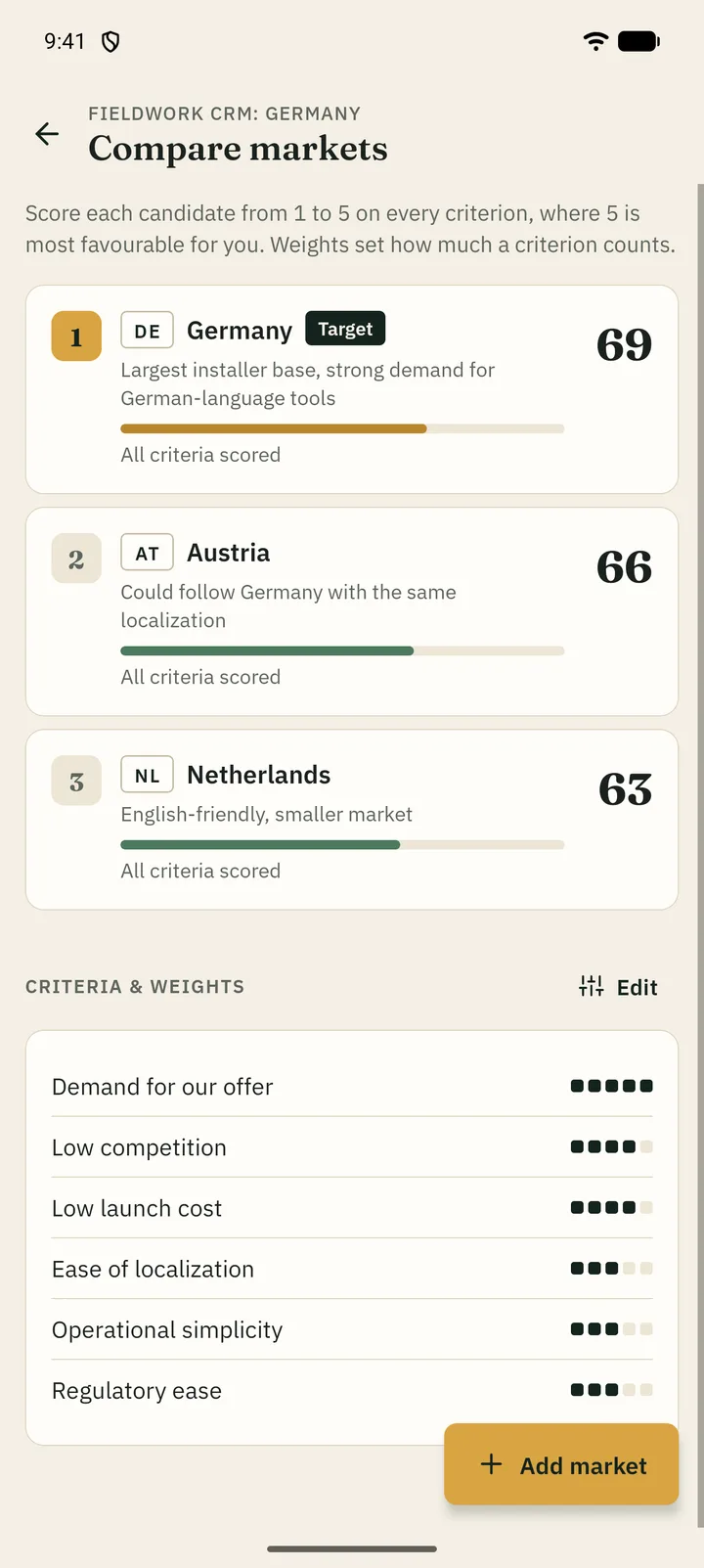
Score each candidate country from 1 to 5 on the criteria that matter to you — demand, competition, launch cost, localization, operations, regulation — and weight them.
- Weighted score out of 100 with a clear ranking
- Coverage shows how much of each market you have actually scored
- Edit, add or remove criteria at any time
Turn research into a plan
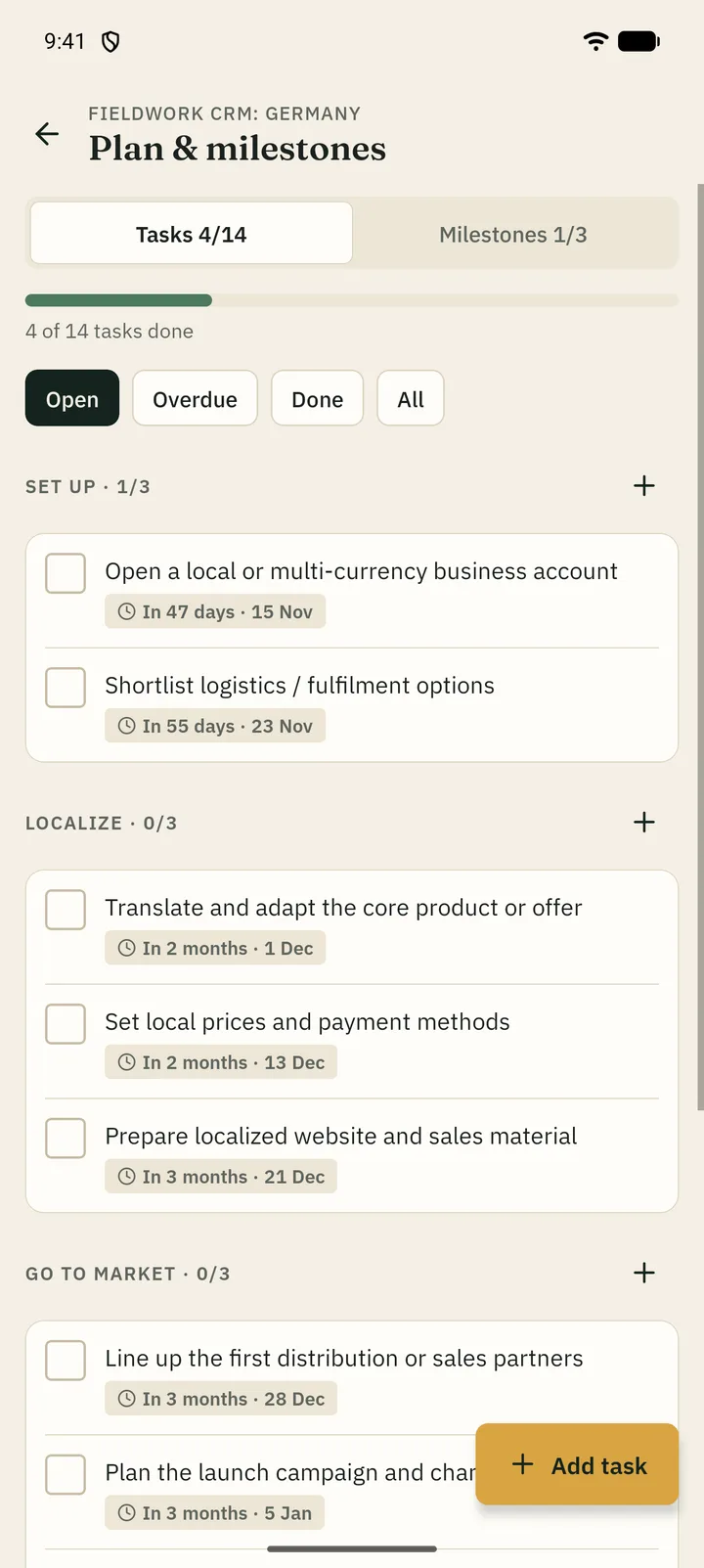
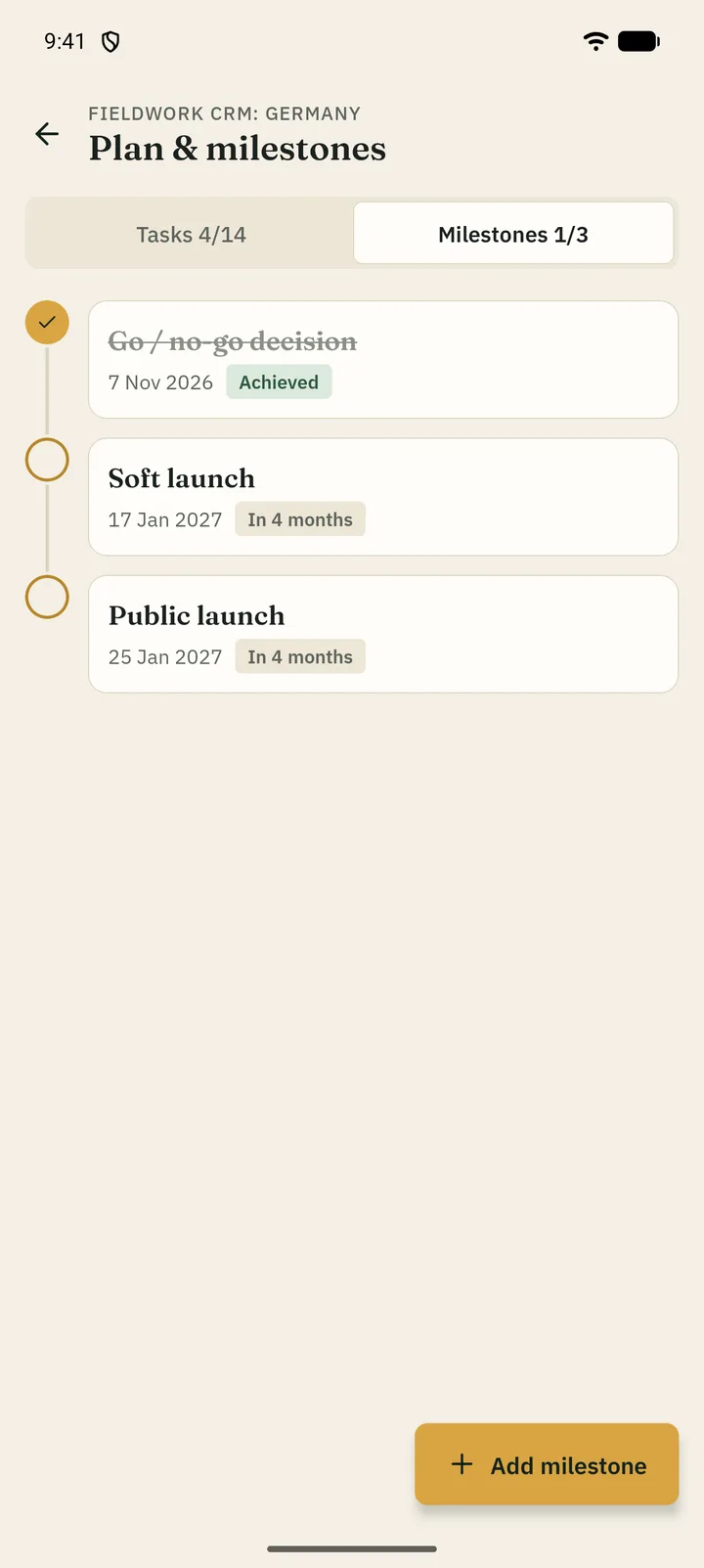
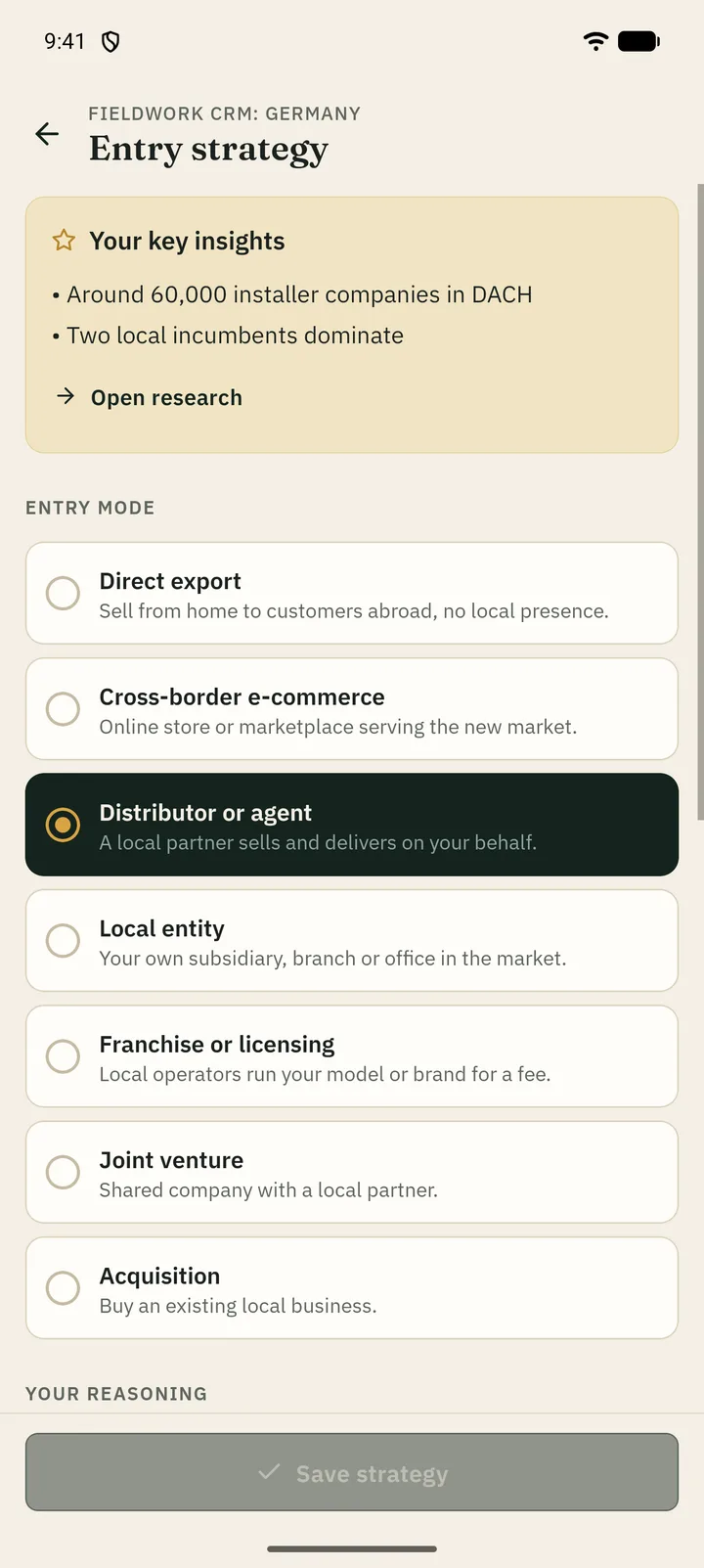
Keep notes on the market, competitors, audience and local rules. Mark key insights, choose an entry mode and schedule the work in phases with deadlines and milestones.
- Seven entry modes, from direct export to a local entity
- Optional starter plan scheduled back from your launch date
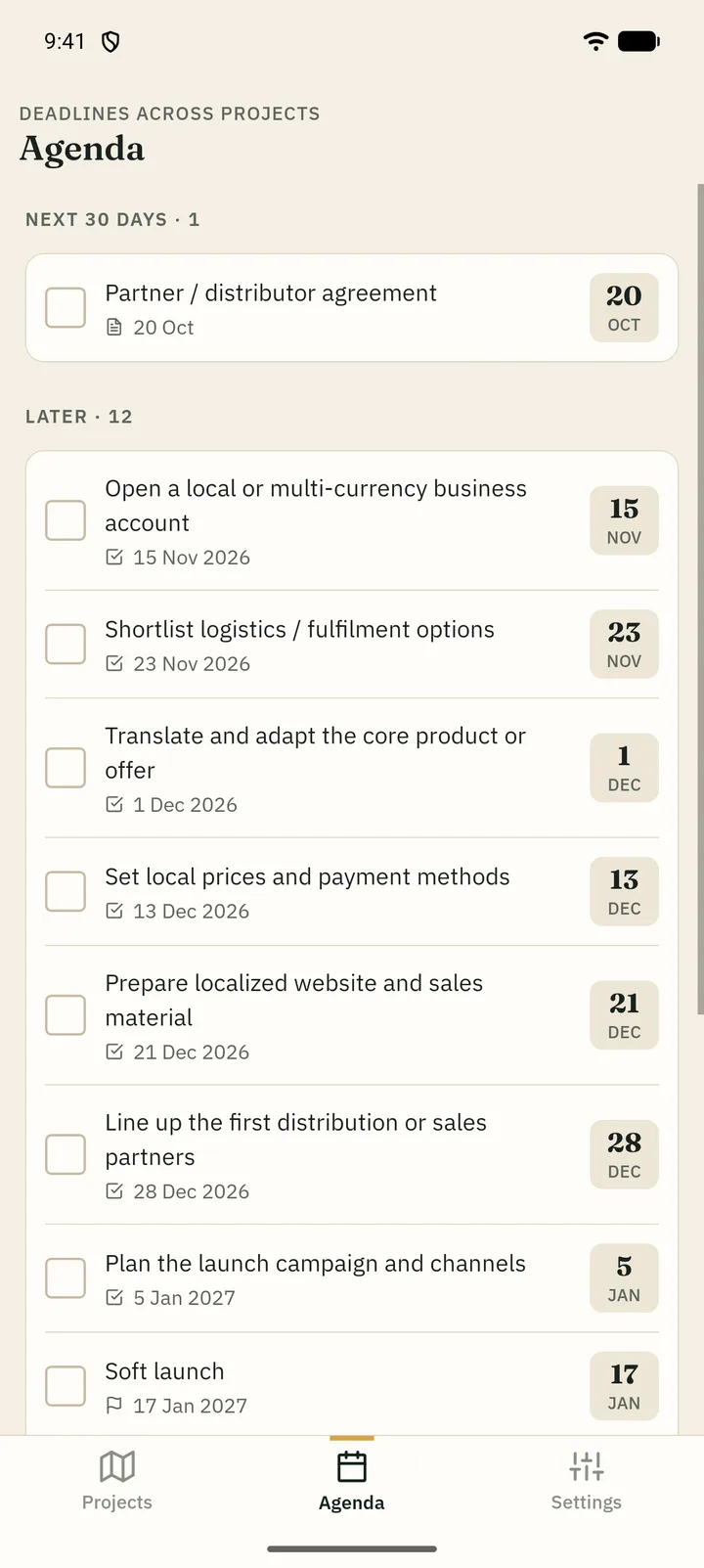
- Overdue and upcoming work on the dashboard and in the Agenda
Know what it will cost
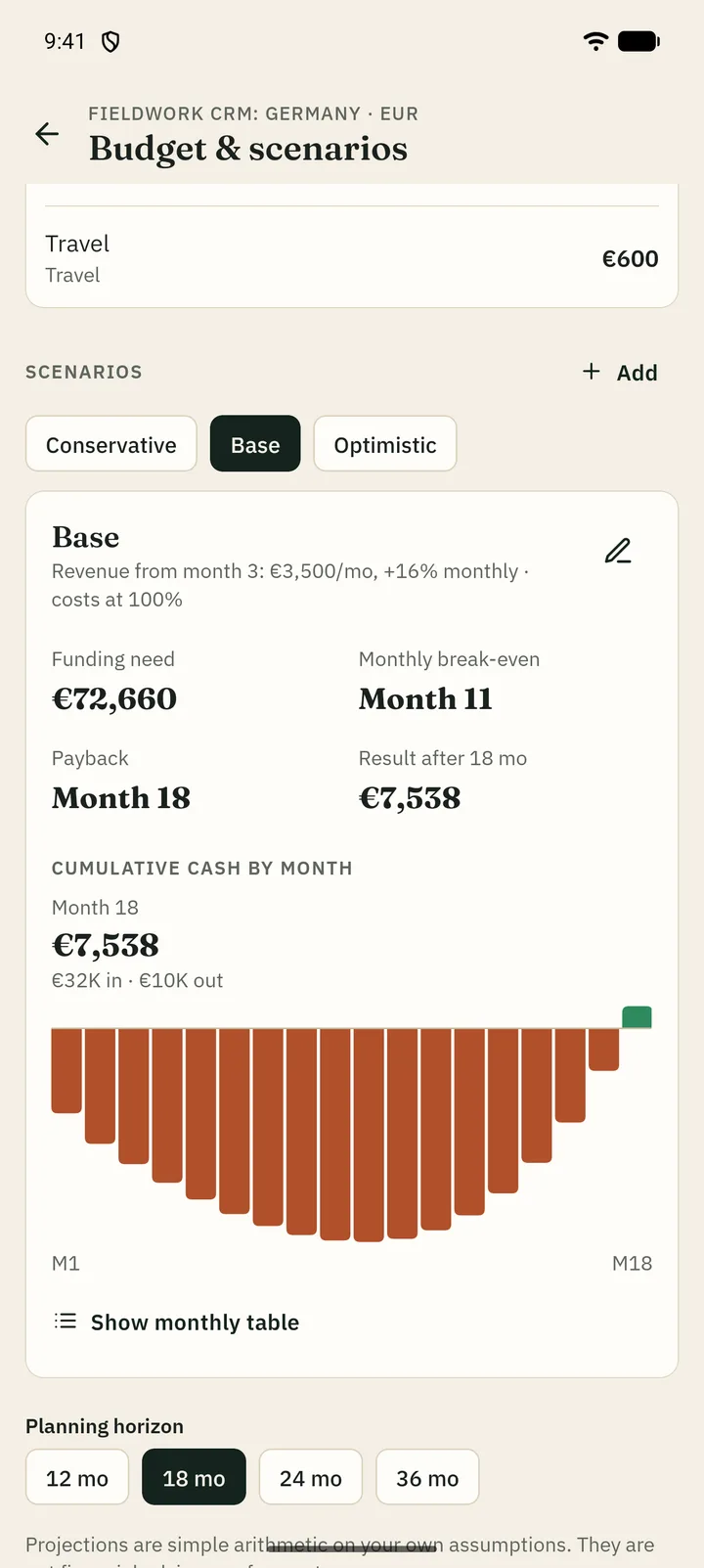
List one-time launch costs and monthly running costs, then compare conservative, base and optimistic scenarios — or build your own.
- Funding need, monthly break-even and payback month
- Month-by-month cumulative cash chart and table
- Plain arithmetic on your own assumptions — no forecasts
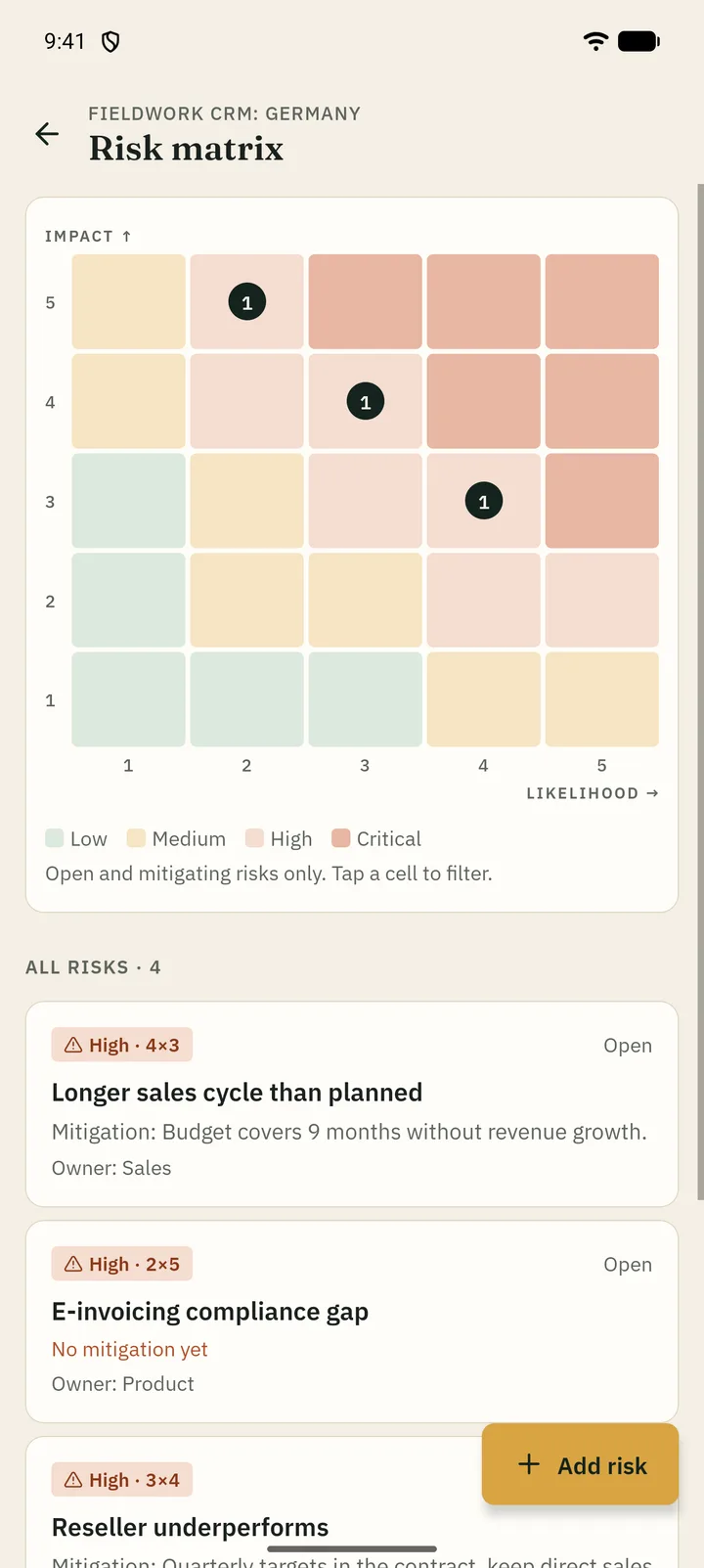
Face the risks early
Rate every risk by likelihood and impact on a 5×5 matrix, write the mitigation and name an owner. Add a SWOT for the target market next to it.
- High risks without a mitigation are flagged
- Tap a matrix cell to see the risks behind it
- Strengths, weaknesses, opportunities and threats in one view
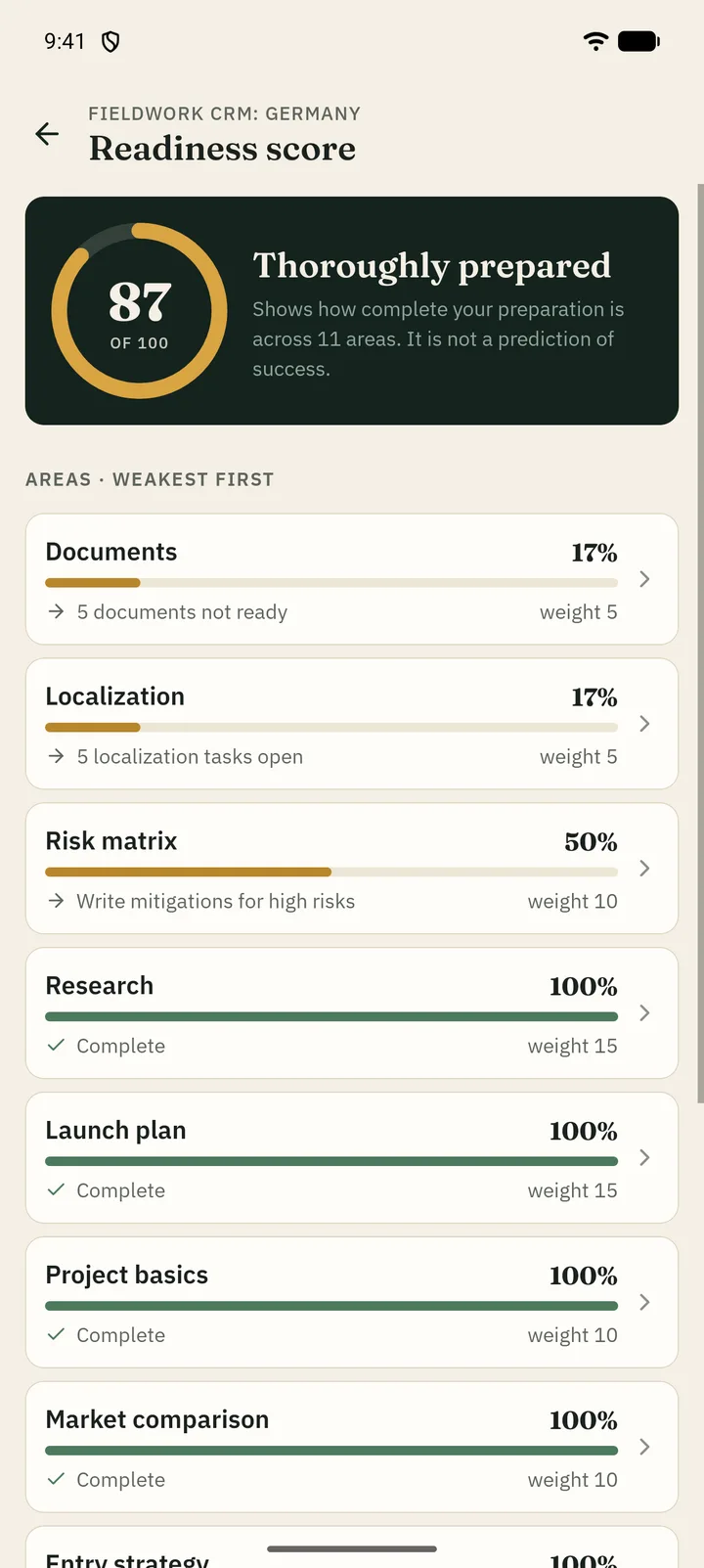
See what is still missing
The readiness score adds up how complete your preparation is across eleven areas and tells you the next concrete step. It measures completeness — it never predicts success.
- Weakest areas first, each linked to its module
- Documents, localization, partners and advisers tracked alongside
- After launch: a 30/60/90-day plan and a log of results, problems and next actions
Plates
More from the app
Appendix
Also in the box
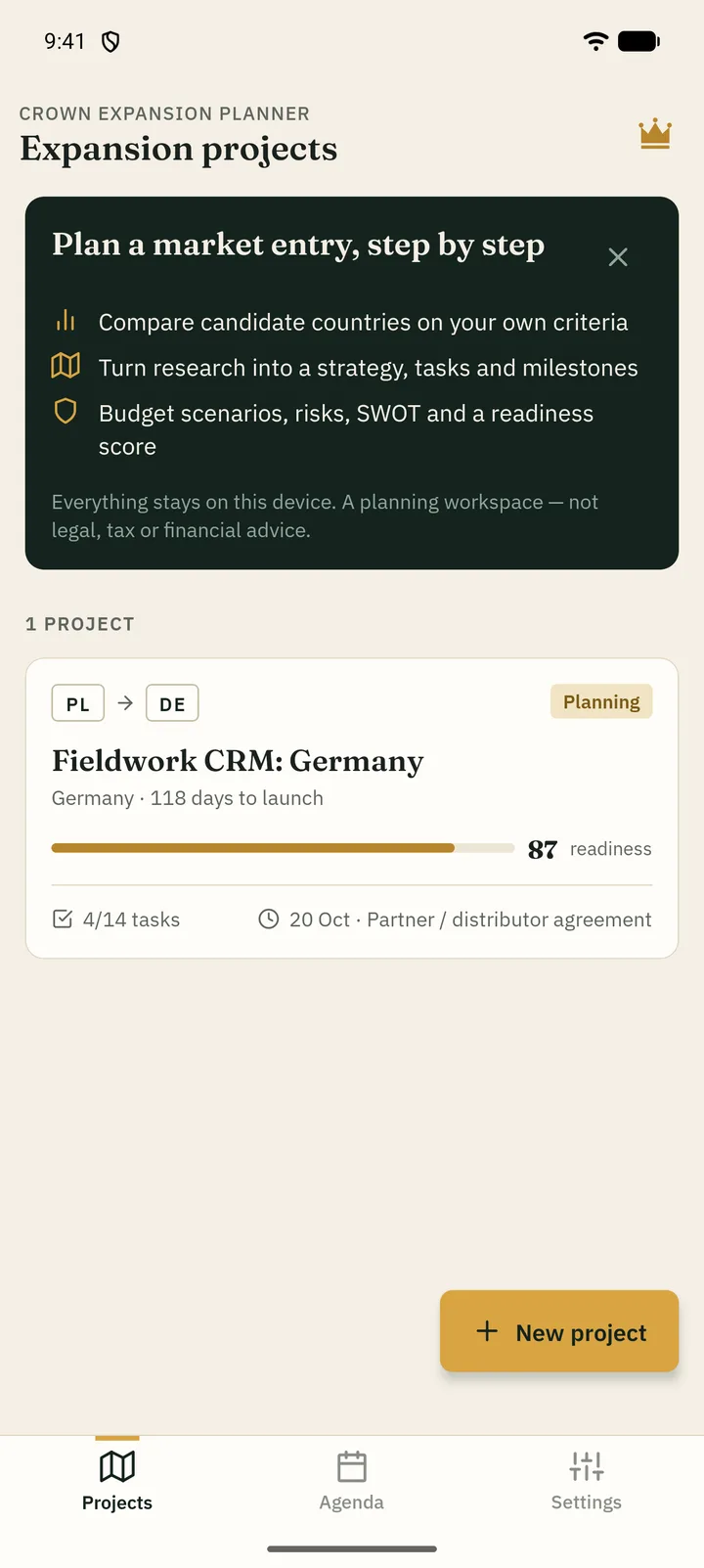
- Several projects side by side, with duplicate for modelling another market
- Contacts for partners, suppliers and consultants with conversation status
- Document checklist with deadlines
- Localization tasks for language, pricing, payments, legal texts, marketing and support
- Agenda of deadlines across all projects
- Plain-text project report through the Android share sheet
- Text backup and restore of all projects
- Example project to explore every module
Questions
Before you start
Is it really free?
Yes. Every feature is available at no cost. There are no ads, subscriptions, in-app purchases or premium tier.
Where are my projects stored?
Only on your phone. The app has no servers and no account. You decide when to export a backup or share a report, and where it goes.
Does it replace a lawyer, tax adviser or accountant?
No. It is a planning workspace. Checklists and templates are generic starting points and budget figures are arithmetic on your own inputs. Confirm local requirements with qualified professionals.
Will it remind me about deadlines?
The app does not send notifications. Deadlines are shown where you work: overdue and upcoming items on each project dashboard and in the Agenda tab across all projects.
Which currencies and countries are supported?
All countries can be chosen as home or target market. Each project uses one planning currency, picked automatically from the target country and changeable from a list of 40 currencies.
Can I move my data to a new phone?
Use Settings → Backup & restore to export all projects as text, then paste that text into the app on the new phone.

Your next market, mapped out.
Crown Expansion Planner for Android · free · version 1.0.0
Coming soon toGoogle PlayQuestions or ideas? Write to [email protected].